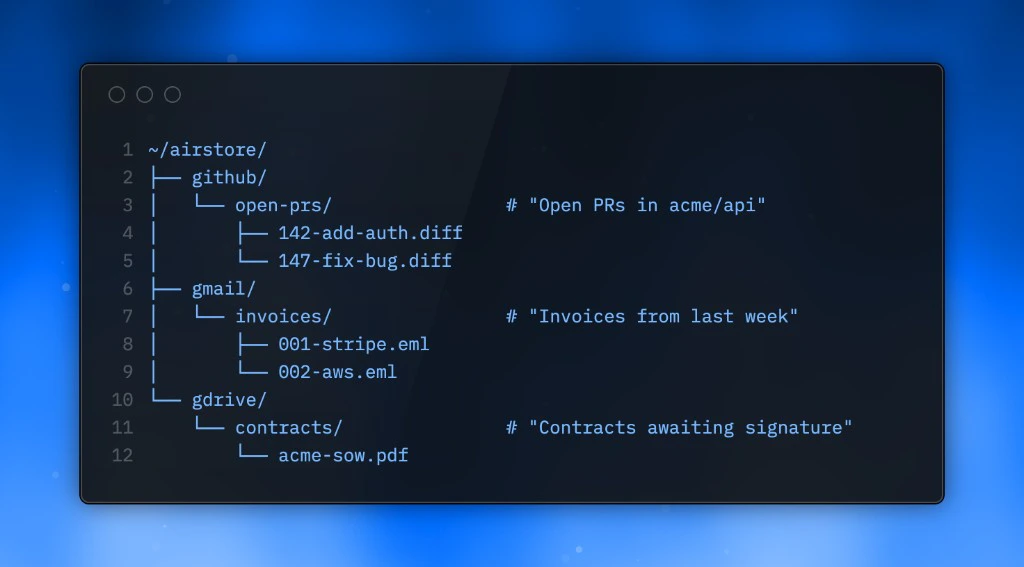
Airstore is a virtual filesystem that presents your data sources as folders and your tools as executables. This page explains the architecture and how the pieces fit together.

The mental model

Think of Airstore as a translation layer:
  • Sources (Gmail, GitHub, Drive) become folders you can browse
  • Tools (MCP servers) become executables you can run
  • Queries become materialized views that sync in the background
~/airstore/
├── sources/
│   ├── gmail/
│   │   ├── inbox/
│   │   └── investor-emails/    # smart folder
│   ├── github/
│   │   └── open-prs/           # smart folder
│   └── gdrive/
│       └── contracts/          # smart folder
└── tools/
    ├── github
    ├── linear
    └── slack

Architecture

┌─────────────────┐     ┌─────────────────┐     ┌─────────────────┐
│   Your Agent    │     │    Airstore     │     │   Data Sources  │
│  (Claude Code)  │────▶│    Gateway      │────▶│  (Gmail, GitHub)│
└─────────────────┘     └─────────────────┘     └─────────────────┘
        │                       │
        │ reads files           │ caches results
        ▼                       ▼
┌─────────────────┐     ┌─────────────────┐
│  FUSE Mount     │     │  S3 Storage     │
│  ~/airstore     │     │  (persistence)  │
└─────────────────┘     └─────────────────┘
Gateway server: Handles queries, translates natural language to API calls, manages caching. FUSE mount: Presents the virtual filesystem to your local machine. Reads go to the gateway. S3 storage: Persists materialized views. Enables sharing across machines. SQLite (self-hosted): Stores integration tokens locally.

How reads work

When you read a file:
  1. Your agent (or cat, ls, etc.) reads from the mounted filesystem
  2. The FUSE layer forwards the request to the Airstore gateway
  3. Gateway returns cached data from the materialized view
  4. File contents arrive in milliseconds
Reads are fast because they hit cached materialized views, not live API calls.

How smart folders work

When you create a smart folder:
airstore create sources/gmail/investor-emails \
  --query "emails from investors in the last 30 days"
  1. Airstore sends your query to an LLM
  2. LLM translates it to the appropriate API query (Gmail search syntax, GitHub filters, etc.)
  3. Airstore executes the query against the source API
  4. Results are materialized as files and cached
  5. Background sync keeps the view fresh

How tools work

Tools are MCP servers exposed as CLI executables:
~/airstore/tools/github create-issue --repo=acme/api --title="Bug"
  1. The executable is a thin wrapper that calls the MCP server
  2. Arguments are passed through
  3. Output (usually JSON) is returned to stdout
  4. You can pipe tools together like Unix commands

Sync and consistency

Materialized views sync in the background:
  • Sync: Periodic background refresh
  • Consistency model: Eventual consistency
  • Manual refresh: airstore sync <path>
This means reads are always fast (cached), but may be slightly stale. For most agent use cases, this tradeoff is ideal.

Next steps